Table of Contents
ToggleGetting the lighting right in your home office isn’t just about seeing what you’re doing, it’s the difference between crushing a full workday and battling headaches by 3 p.m. Whether you’re cramming a desk into a spare bedroom or building out a dedicated workspace, lighting affects your focus, mood, and even your health. Most DIYers overlook it until their eyes are already tired, but the good news? Fixing lighting for your home office doesn’t require rewiring walls or hiring an electrician. This guide walks you through the layers of lighting you need, how to place them strategically, and how to avoid the glare and strain that kills productivity.
Key Takeaways
- Proper lighting for your home office directly impacts focus, mood, and health—without it, you risk eye fatigue, headaches, and reduced productivity by mid-afternoon.
- A balanced three-layer lighting system (ambient, task, and accent lighting) prevents dark corners and glare while maintaining visual comfort throughout the workday.
- Position task lamps 15–20 inches above your work surface to the side of your monitor, and keep ambient lighting at least 30% as bright as your screen to minimize eye strain.
- Monitor glare occurs when light reflects off your screen—angle your desk perpendicular to windows and use warmer color temperatures (2700K–3000K) for long work sessions to reduce harsh lighting effects.
- Plan electrical outlet placement before setting up your home office to avoid unsafe extension cords and ensure task lamps are easily adjustable in height and angle.
Why Lighting Matters in Your Home Office
Your eyes work harder on screens than on printed pages. Without proper lighting for your home office, you’re fighting contrast issues, shadows, and eye fatigue from the start. Poor lighting doesn’t just make you uncomfortable, it tanks productivity. Studies show that inadequate or harsh lighting reduces focus and increases errors, especially during detailed work like coding, design, or data entry.
Beyond productivity, there’s the wellness angle. Working under flickering fluorescents or single overhead lights can trigger migraines and disrupt your circadian rhythm, making it harder to sleep at night even after you’ve clocked out. The right lighting setup balances task visibility with overall comfort. You’re not aiming for operating-room brightness: you’re aiming for an environment where your eyes feel relaxed and your work feels natural. Think of it like setting up ergonomic furniture, lighting is just as critical to a functional workspace.
Types of Office Lighting You Need to Know
Most people think one light fixes everything. In reality, you need three layers working together: ambient, task, and accent lighting. Each serves a specific purpose, and combining them creates a balanced, flexible workspace.
Ambient Lighting Basics
Ambient lighting is your baseline, it fills the whole room and prevents dark corners and heavy shadows. Typically this is ceiling-mounted (recessed fixtures, flush mounts, or track lighting) or comes from a bright window. Aim for 300–500 lux in a home office, which is enough to navigate safely without staring directly at a bright source. Avoid single overhead fixtures that cast harsh shadows across your desk or screen. If you’re stuck with one ceiling light, consider pairing it with a reflective ceiling color (light gray or white bounce light better than dark finishes) to spread illumination more evenly. Many DIYers in smaller offices skip overhead lights entirely and layer task lights instead, that’s fine as long as you prevent dark zones where shadows pool.
How to Avoid Eye Strain and Glare
Glare and screen reflection are the silent killers of home office comfort. Here’s what causes them and how to fix it.
Monitor glare happens when light reflects off your screen surface. Angle your monitor so windows or overhead lights aren’t mirroring on the glass. If your desk faces a window, position it perpendicular to the light, not directly facing it. Matte-screen protectors or monitor hoods help, but repositioning is often faster and free. Light color temperature also matters: cooler white light (5000K and up) is energizing but can feel harsh for 8+ hours. Warmer light (2700K–3000K) is softer on the eyes, especially in the afternoon. Many modern LED task lamps let you adjust color temperature, which is a game-changer for day-long work.
Brightness contrast between your screen and surroundings causes eye strain too. If your screen is the only bright thing in a dark room, your pupils constantly adjust, fatiguing the eyes. Ensure your ambient lighting is at least 30% as bright as your screen. That might sound complex, but it’s just: don’t work in a dark room with a bright screen and one desk lamp. Include some ambient fill. Monitor light bars mounted above your screen are increasingly popular for this reason, they light the wall behind the monitor, reducing contrast without creating direct glare. Wear blue-light glasses if you’re sensitive, but they’re not a substitute for proper lighting and screen positioning.
Best Lighting Placement and Layout Strategies
Layout is where theory meets reality. Here’s a practical framework for different desk setups.
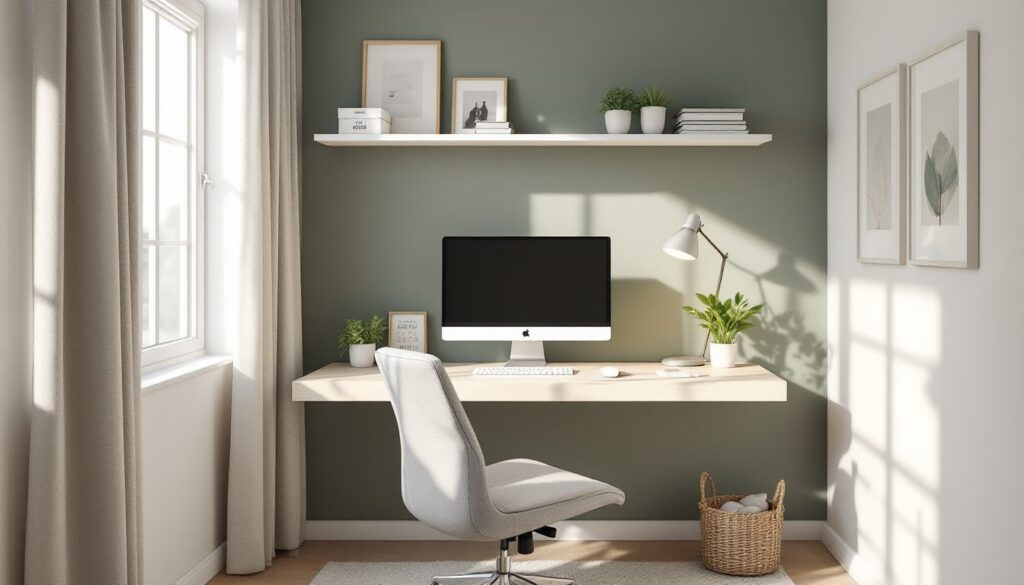
Single-desk workspace: Start with ambient light (ceiling fixture or window light supplemented by a floor lamp) and one adjustable task lamp positioned to the side of your monitor. The task lamp should be arm’s reach away and adjustable in height and angle. If glare appears on your screen, move the lamp further to the side or swap it for one with a diffuser.
Dual-monitor or wide-desk setups: Add a second task lamp or use a single wider-coverage lamp (like a full-desk LED bar light). Ensure both monitors are equally lit and neither is significantly brighter than the other. Track lighting overhead works well here because you can aim multiple fixtures at different zones.
Corner offices or alcoves: Use a combination of task and ambient lighting. A tall floor lamp in the corner provides ambient fill, and a desk lamp handles the work surface. Window light is a bonus, use blackout shades if the sun creates afternoon glare.
One detail many DIYers miss: light placement height. Task lamps should sit roughly 15–20 inches above your work surface (keyboard level), not higher. Too high and light scatters: too low and it creates shadows on documents. For at home office desk setups, spend five minutes adjusting lamp height and angle before concluding it doesn’t work. Small tweaks make big differences. Also, when you’re building out custom office setup considerations, plan electrical outlets ahead of time. Retrofit lamp placement is annoying when you lack convenient outlets, and running extension cords across the floor is both unsafe and messy.