Table of Contents
ToggleIf you’re spending eight hours a day hunched over a desk, a standard office chair won’t cut it, especially for someone who also uses their workspace for gaming or streaming. Office Depot gaming chairs bridge the gap between professional ergonomics and the aggressive styling gamers crave. They’re engineered with lumbar support, tilt mechanisms, and armrests that actually hold up during long sessions. Whether you’re building out a home office that doubles as a gaming setup or just want furniture that performs as hard as you do, understanding what separates a gaming chair from regular office furniture is the first step. This guide walks you through the best Office Depot gaming chair options available in 2026, what to look for, and how to keep your investment in top shape.
Key Takeaways
- Office Depot gaming chairs prioritize extended ergonomic support with reinforced bases, lumbar support, and adjustable armrests—features that standard office furniture lacks for long workdays.
- Budget-friendly gaming chairs ($150–$300) offer solid value when you prioritize lumbar support and weight capacity over aesthetic racing stripes, with mid-range models around $250 hitting the best balance.
- Premium gaming chairs ($400–$700) justify their cost through memory foam lumbar pillows, robust tilt mechanisms with 120–180 degree recline, and superior materials that prevent peeling and stitching failures.
- Test lumbar support in-store for at least five minutes to ensure it cradles rather than pushes your lower back, and take advantage of Office Depot’s 30–60 day return window before committing long-term.
- Maintenance is straightforward: wipe faux leather weekly, vacuum mesh monthly, check bolts after two weeks, and replace wear items like caster wheels ($15–$30) to extend your chair’s lifespan to five years or more.
What Makes a Gaming Chair Different From Regular Office Furniture
A gaming chair isn’t just an office chair with LED lights slapped on. The difference runs deeper, into design philosophy and intended use.
Traditional office chairs prioritize neutral aesthetics and basic ergonomic compliance. They’re built to disappear into a corporate environment. Gaming chairs, by contrast, are designed for extended sessions of active movement. You’re leaning back, swiveling hard, adjusting position constantly. That demands stronger base materials, beefier tilt mechanisms, and more aggressive lumbar and neck support.
Key structural differences include wider seats and backrests (accommodating various body sizes and heavy winter clothing), reinforced base frames typically rated for higher weight capacities, and reclining functions that go past a standard tilt to near-flat positions. Most gaming chairs also feature integrated armrests that adjust in multiple directions rather than fixed arms, and materials like mesh or faux leather rather than breathable fabric, which hold up better during sweaty sessions.
The one caveat: “gaming” branding sometimes comes with style over substance. A chair with flashy racing stripes but a weak lumbar pad won’t save your back. When shopping, prioritize support architecture and material durability over cosmetics. Office Depot carries models that actually deliver on both fronts.
Top Office Depot Gaming Chair Models Worth Considering
Office Depot stocks a range of gaming chairs at different price points. Here’s a breakdown of models that consistently deliver on comfort and durability.
Budget-Friendly Options
If you’re testing the gaming chair waters or furnishing a second workspace, entry-level picks hit the $150–$300 range. These typically feature a sturdy five-point base (stronger than a four-point), basic lumbar adjustment, and tilt-lock mechanisms. Materials are usually faux leather or mesh, which won’t embarrass you visually and stand up to regular use. Look for models with a minimum 275-pound weight capacity and at least a 12-inch seat depth, shallow seats force awkward posture on longer legs.
One common shortcut in budget models: thin padding. If the seat feels like a bike saddle in-store, it’ll feel worse after hour five. Push down on the cushion: quality padding should compress about an inch, then resist further. Office Depot’s budget tier models often miss this mark, but their mid-range picks (around $250) split the difference well.
Also check the armrests on cheaper units. Plastic-pivot arms sometimes loosen after a few months. Prioritize chairs with screw-adjustable or locking armrests even at budget prices, it’s worth the extra $20.
Premium Picks for Maximum Comfort
Gaming chairs in the $400–$700 range add memory foam lumbar pillows, fully adjustable armrests (height, depth, angle), and more robust tilt mechanisms with better tension control. These are built for 40+ hour workweeks. Premium Office Depot models often feature higher quality faux leather (not peeling or flaking after two years), integrated neck pillows, and reinforced stitching that won’t fail under stress.
At this tier, you’re also getting superior base quality, reinforced aluminum rather than stamped steel, and smoother caster wheels. The chair will roll freely on carpet and hard floors without sticking or skating. Base strength matters because it’s the foundation for everything else: a wobbly base undermines even the best padding.
Premium models also often have a recline range of 120–180 degrees, which lets you actually rest during breaks instead of just tilting back slightly. If you’re using the chair for gaming and work in equal measure, this feature pays dividends. Check the tilt lock mechanism, higher-end chairs let you set tension so the chair doesn’t snap back or slide forward unexpectedly.
These models aren’t cheap, but if you’re sitting eight hours daily, $500 once every five years is cheaper than physical therapy or spinal issues later.
How to Choose the Right Gaming Chair for Your Home Office Setup
Picking the right chair means matching it to your space, body type, and actual use case.
Start with seat height and base dimensions. Measure your desk height and the clearance under it, your chair base should fit without cramping. Most gaming chairs range from 26–30 inches tall at the seat (with the caster wheels compressed). Your feet should rest flat on the floor or a footrest when the seat is adjusted to desk height. If your desk is unusually tall (standing desks often are), you may need a taller chair or risk dangling legs, which kills circulation and spinal support.
Next, consider material. Faux leather is easier to clean (sweat, coffee spills) and more durable than fabric, but it can feel plasticky and heat up in warm rooms. Mesh breathes better but shows dust and requires more frequent vacuuming. If you live in a hot climate or sweat heavily during gaming sessions, mesh is the move. Cold, dry climates tolerate faux leather better. Office Depot carries both, check the product page for material specs.
Weight capacity matters, even if you’re under the listed limit. A chair rated for 250 pounds will sag faster if you’re actually at 240. Chairs rated for 300+ pounds typically use thicker frame stock and better materials overall, offering longer durability regardless of your size.
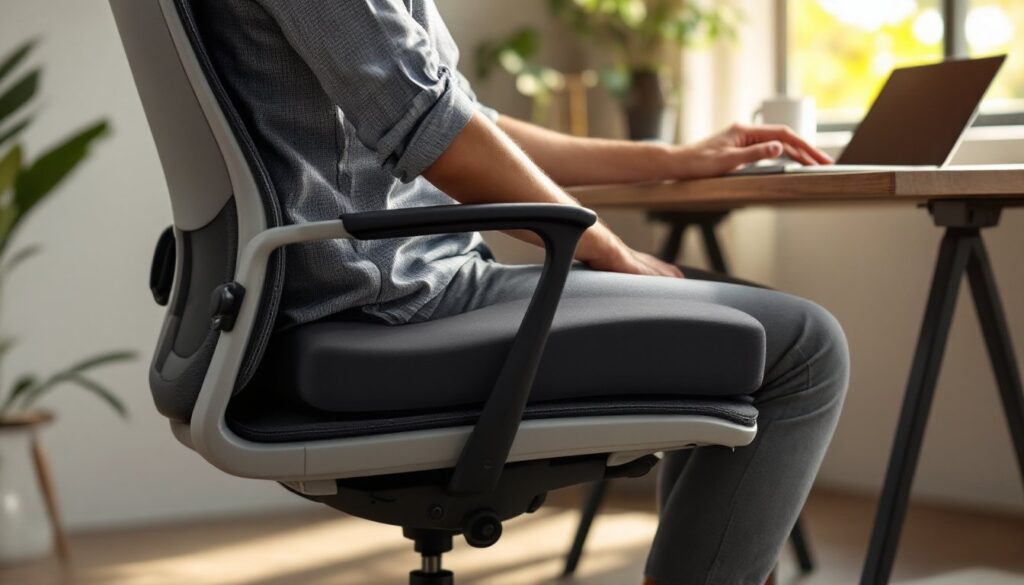
Test the lumbar support. Sit in the chair for at least five minutes in-store if possible. Your lower back should feel cradled, not pushed. Too much lumbar can be as bad as too little, it should complement your natural curve, not override it. Many gaming chairs include removable lumbar pillows, which is a win because you can adjust or replace them as your needs change.
Finally, check return policies. Office Depot typically allows 30–60 days for furniture returns if you’re unsatisfied. Use that window. A chair that feels great for an hour might reveal problems after a week of real use. Taking advantage of a return period beats being stuck with an uncomfortable chair for five years.
Assembly, Maintenance, and Care Tips
Most Office Depot gaming chairs arrive flat-packed. Assembly takes 30–60 minutes with basic tools, usually just a Phillips-head screwdriver and an Allen wrench (included).
Assembly steps are generally straightforward: attach the base to the central pneumatic cylinder (the gas strut that lets you adjust height), then slide the seat and backrest onto that cylinder, and bolt the armrests in place. Watch the instructional video provided with your chair before starting: the order matters, especially for aligning the backrest properly. Have a second pair of hands available, holding the backrest level while you screw armrests is much easier with help. Lay a blanket or tarp down to protect your flooring from scratches during the process.
Check all bolts and screws after two weeks of use. Break-in causes minor settling, and loose hardware can rattle or worsen into structural problems. This is also the time to adjust the lumbar pillow and armrests to your exact preference, you now know how the chair feels daily, not just in-store.
Maintenance keeps your investment lasting. For faux leather, wipe down with a damp microfiber cloth weekly and let it air-dry. Avoid harsh cleaners that crack the material. For mesh, use a handheld vacuum or lint roller every few weeks to prevent dust buildup in the weave. Neither should ever go through a washing machine (yes, people try).
Caster wheels wear with heavy use on rough carpet or tile. Most Office Depot chairs use replaceable wheels, they’re a cheap ($15–$30 per set) swap if they start sticking or squeaking after a couple of years. Check if your model’s wheels are proprietary or standard: standard is better because you have options.
Pneumatic cylinders (the hydraulic column that holds you up) can fail over time, causing the chair to slowly sink even when the height lever is locked. If this happens, the cylinder itself can be replaced for $20–$50 and about 15 minutes of work. Manufacturers of Office Depot’s house brands usually sell replacement cylinders directly.
Keep the chair out of direct sunlight: UV degrades faux leather and causes color fading on mesh. If your chair will live near a window, add a light curtain or shade. Finally, don’t lean back on the chair when you’re not sitting, it stresses the base and tilt mechanism prematurely. Treat it like a real tool, not furniture to abuse, and it’ll last.
Conclusion
A solid Office Depot gaming chair is one of the highest-ROI investments you can make for a home workspace. The right seat supports your spine, reduces fatigue, and keeps you productive whether you’re coding, streaming, or working through spreadsheets. Budget-conscious shoppers should prioritize lumbar support and base durability over aesthetics: premium models reward extended sessions with better materials and adjustment options. Measure your space, test the chair if possible, and don’t skip post-purchase care. Your back will thank you, and a well-maintained gaming chair will serve your home office for years.