Table of Contents
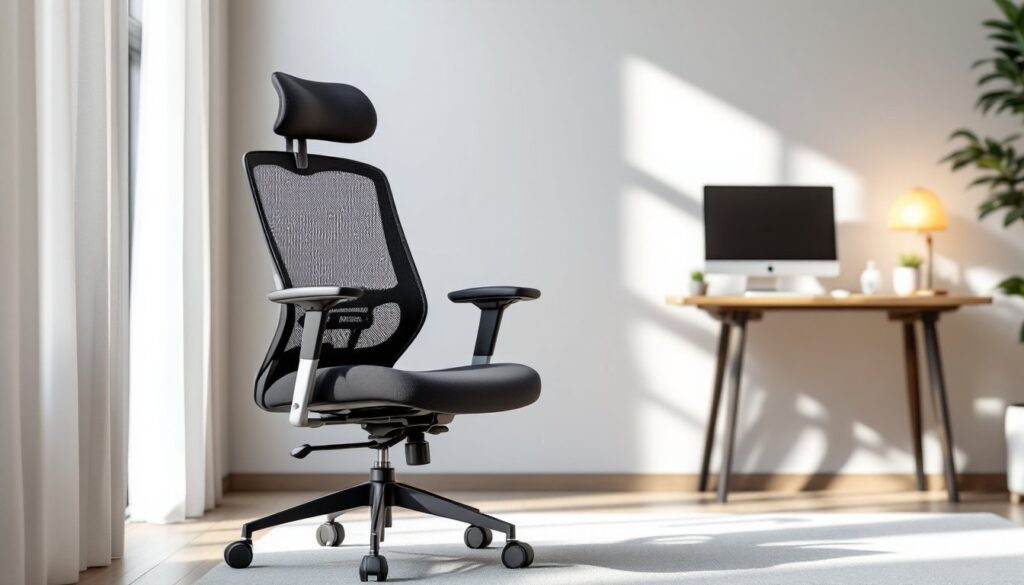
ToggleIf you’re spending eight or more hours a day sitting in a chair that doesn’t support your back, you’re setting yourself up for pain and poor posture. A mesh office chair with lumbar support addresses exactly this problem. Unlike flat-bottomed budget chairs, a quality mesh chair designed with proper lumbar support keeps your spine aligned, reduces strain on your lower back, and maintains breathability so you don’t overheat during long workdays. Whether you’re freelancing, managing a home office, or building a professional workspace for the first time, choosing the right mesh chair is one of the smartest investments you can make for your health and productivity.
Key Takeaways
- A mesh office chair with lumbar support maintains your spine’s natural curve, reducing back pain and improving posture during long work sessions.
- Proper lumbar support directly boosts productivity by minimizing discomfort-related distractions and preventing chronic pain that leads to missed work.
- Essential adjustability features—seat height, lumbar depth, armrests, and recline tension—allow you to customize your mesh chair to fit your unique body and workspace.
- Mid-range mesh chairs ($400–$800) offer the best value for home office workers, balancing adjustable lumbar support and breathable mesh quality without diminishing returns.
- Correct setup and regular maintenance—from adjusting lumbar depth to cleaning mesh and checking casters—ensure your chair delivers comfort and durability for 3–5+ years.
- High-density mesh material with ventilated cushioning keeps you cool during extended sitting, while a loose-fitting chair traps heat and loses shape over time.
Why Lumbar Support Matters for Your Home Office Setup
Your lumbar region, the lower part of your spine, supports most of your body weight when sitting. Without proper support, the discs between your vertebrae compress unevenly, causing fatigue, pain, and long-term postural damage. A mesh office chair with lumbar support maintains the natural curve of your spine, called lordosis, which distributes pressure evenly and keeps your back from rounding forward.
Back pain from poor seating isn’t just uncomfortable: it kills productivity. Studies show that discomfort forces frequent position changes, trips to stretch, and mental distraction. Over time, chronic back issues can lead to missed work and medical expenses that dwarf the cost of a good chair. A well-designed lumbar support system minimizes these problems by keeping your spine neutral, the posture at which your muscles work least and your discs experience least stress.
Home office workers face unique challenges. Unlike corporate offices where ergonomics departments ensure proper setups, you’re on your own. Your desk might be makeshift, your lighting imperfect, and your chair might double as a dining chair. A mesh office chair with adjustable lumbar support gives you control over your own comfort, no matter what the rest of your workspace looks like. Think of lumbar support as your personal ergonomic insurance policy.
Key Features to Look For in a Quality Mesh Chair
Material and Breathability
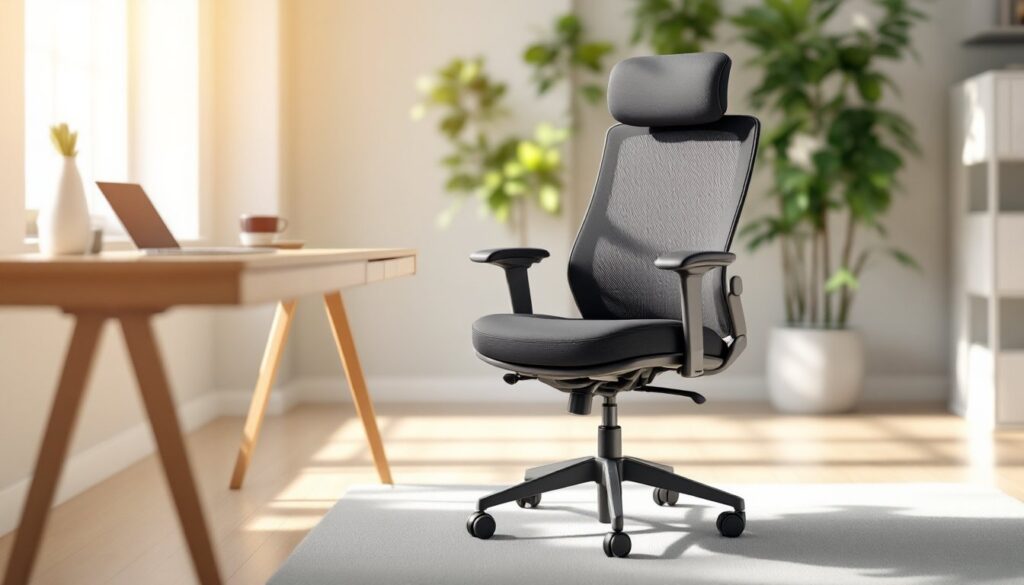
Mesh is the material of choice for office chairs because it allows air to circulate, keeping you cool during long sitting sessions. Unlike leather or solid plastic backs, mesh lets heat and moisture escape, which matters if you live somewhere warm or work in an unair-conditioned space. Look for high-density mesh, it holds its shape better and resists sagging after months of use than thin, flimsy alternatives.
The base material matters too. Your mesh should be woven tightly enough that it doesn’t stretch out or develop wrinkles that trap heat. Avoid chairs with mesh so loose that you can feel the frame pressing through. Check product descriptions and photos carefully: reputable manufacturers specify the mesh density and often compare their material to alternatives. Modern office furniture design at sites like Design Milk showcases how material choice defines comfort and durability in contemporary seating.
The seat cushion, often called the seat pan, should also breathe. Memory foam cushions are popular but can trap heat. Mesh or ventilated foam cushions paired with a breathable mesh back create a truly comfortable seating experience for extended work sessions.
Adjustability Options
A chair that fits one person’s body perfectly might be terrible for another. That’s why adjustability is non-negotiable. Essential adjustments include:
- Seat height: A range of at least 4–5 inches lets you position your feet flat on the floor with knees at 90 degrees. This is critical, dangling feet or cramped knees throw your whole posture off.
- Lumbar support depth and height: The best chairs let you move the lumbar curve forward and backward, and up and down, so it hits your lower back, not some generic position.
- Armrests: Look for height-adjustable and width-adjustable armrests. Proper armrest height keeps your shoulders relaxed, not hunched or dangling.
- Recline and tilt tension: A tilt-lock feature lets you recline if you want or stay upright. Adjustable tension means the chair won’t snap back aggressively when you shift position.
- Seat depth: Some chairs let you adjust how far forward or back the seat pan slides. This prevents pressure on the back of your thighs.
Not every budget chair includes all of these, but the more adjustments available, the more you can dial in the fit. Think of these controls as tuning an instrument, small tweaks make a huge difference.
How to Select the Right Mesh Chair for Your Space and Budget
Start by measuring your space. A standard office chair is roughly 26–27 inches wide at its widest point and extends about 27 inches forward from the backrest to the front edge of the seat. Make sure it fits comfortably in your workspace without blocking doors or cramping your room. If your home office is tight, look for chairs with a compact footprint or one with casters that roll smoothly.
Next, set a realistic budget. Budget chairs ($200–$400) often have lumbar support, but it’s fixed, you can’t adjust it to match your spine’s unique contours. Mid-range chairs ($400–$800) usually offer adjustable lumbar depth and better mesh quality. Higher-end office chairs ($800+) add premium materials, warranties, and refinements but aren’t always necessary for home use. The jump from a $250 chair to a $500 chair is significant: the jump from $500 to $1,000 is often diminishing returns for home office work.
Read reviews from real users, not just marketing copy. Look for comments about lumbar support comfort after 6–8 hours of sitting, not just aesthetics. Check whether reviewers mention the chair sagging or losing shape after a year. Many online retailers like Home Office Furniture for Sale offer detailed product comparisons and customer feedback to guide your decision.
Try to sit in a candidate chair before buying if possible. Visit a showroom or office furniture store and adjust the lumbar support, seat height, and armrests. Spend 10–15 minutes in it. If it feels unsupportive after that short time, it won’t feel better after eight hours. Consider the return policy too, reputable manufacturers offer 30-day returns so you can test-drive the chair at home.
Setup and Maintenance Tips for Long-Term Comfort
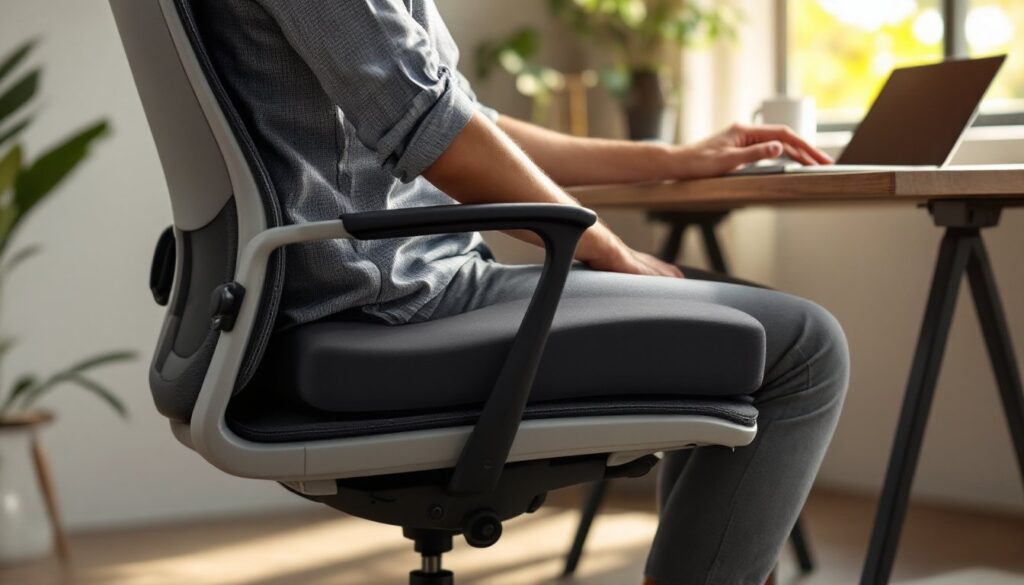
Once you’ve bought your mesh office chair with lumbar support, spend time setting it up correctly. Adjust seat height first: Your feet should rest flat on the floor or a footrest, and your knees should be at a 90-degree angle when you’re sitting back in the seat. If the seat is too high or too low, everything else falls apart.
Next, adjust the lumbar support. Sit back so your lower back touches the lumbar curve. If it doesn’t contact your spine naturally, move the lumbar support up, down, forward, or back until it cradles your lower back without jamming into it. This might take a few minutes to dial in, but it’s worth it. Your armrests should support your forearms when your shoulders are relaxed, not elevated like you’re shrugging, and not dropping your shoulders down.
Maintenance keeps your chair working well for years. Vacuum or wipe the mesh regularly to remove dust that can clog the material and reduce breathability. Most mesh is machine-washable in cool water, but check the manufacturer’s instructions first. If you eat or drink at your desk, clean spills immediately so they don’t stain the mesh or damage the foam beneath.
Check tilt tension and casters every few months. Tilt mechanisms can loosen over time: tightening the adjustment usually takes a few turns with a hex key. Casters wear faster on hard floors without a mat: a chair mat ($30–$60) protects your flooring and lets the chair glide smoothly. If a caster breaks, replace the full set rather than just one, mismatched casters create uneven rolling and add stress to the chair base.
Interior design inspiration sources like Home Bunch show how office furniture fits into the broader home environment, so consider how your chair integrates with your desk, lighting, and overall workspace aesthetics while prioritizing comfort first.
When adjustable lumbar support stops working smoothly, usually after 3–5 years of daily use, you might need to have the mechanism serviced or replaced. Most manufacturers offer replacement parts, but DIY repair isn’t recommended for mechanical components. Check your warranty and contact customer support.
Conclusion
A mesh office chair with lumbar support transforms how you feel during your workday. By choosing one with proper material breathability, full adjustability, and a design that matches your space and budget, you invest in comfort that pays dividends in focus, health, and long-term well-being. Take time to adjust it correctly and maintain it, and it’ll support your back, literally, for years to come. For a comprehensive overview of all your workspace comfort options, explore Office Comfort Products That Boost Productivity and Transform Your Workspace to ensure your entire setup works together.